
How Throk API credits work: billing and balance
Every API call uses credits. The credits_consumed field in the response shows how many.
API plans
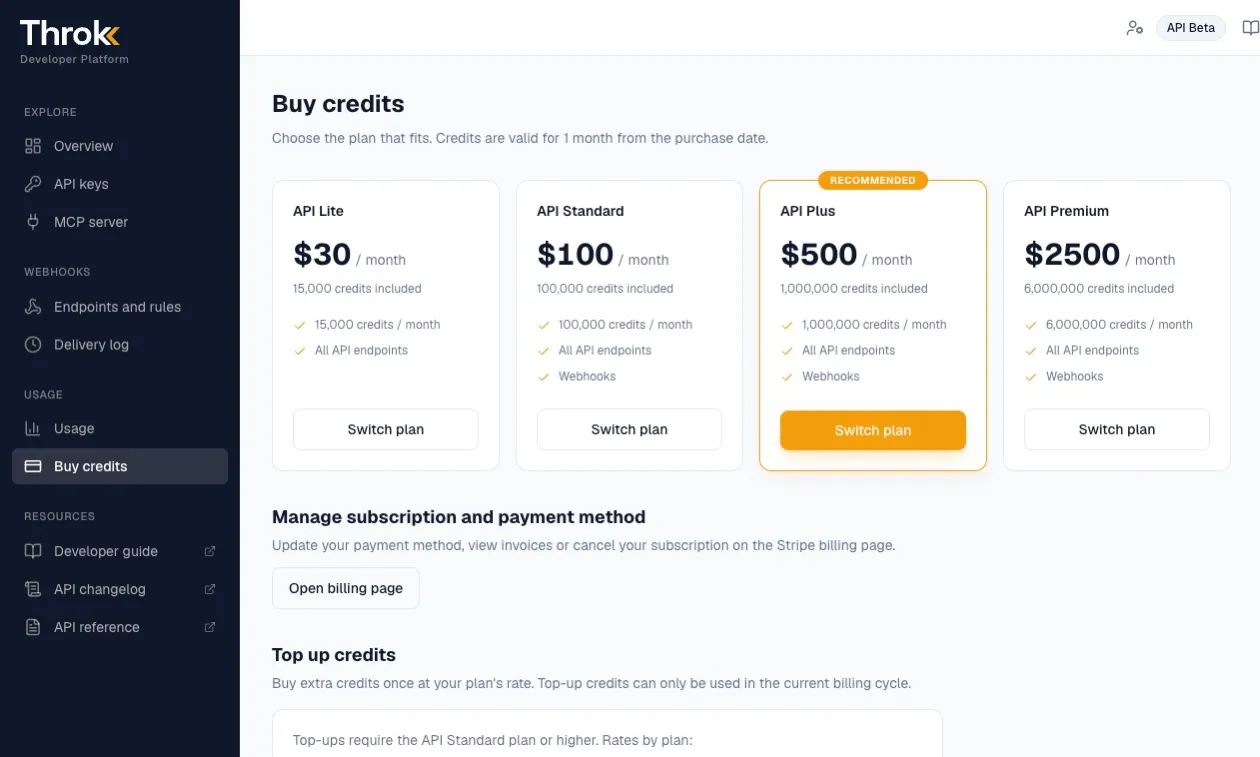
Section titled “API plans”Credits for the API and MCP come from an API plan and are separate from the credits in the Throk web app. All API keys and all MCP connections signed in with a Throk account share the same account’s credits.
| Plan | Price | Credits per month | Webhook |
|---|---|---|---|
| API Lite | US$30 / month | 15,000 | — |
| API Standard | US$100 / month | 100,000 | ✅ |
| API Plus | US$500 / month | 1,000,000 | ✅ |
| API Premium | US$2,500 / month | 6,000,000 | ✅ |
- Credits are valid for 1 month from the purchase date. Unused credits don’t roll over to the next month.
- Top-up credits: API Standard and higher plans can buy extra credits as a one-time purchase, at US$10 (Standard), US$5 (Plus) or US$4 (Premium) per 10,000 credits. Top-up credits can only be used within the current billing period.
- Manage your plan and payment method on the Buy credits page in the developer portal. See below.
How common endpoints are charged
Section titled “How common endpoints are charged”| Endpoint | Charge |
|---|---|
GET /post/search |
1 credit per post returned; 2 credits per post with include_details=true |
GET /post/keyword-trend |
3 credits × keywords × days; 4 credits × keywords × days with include_engagement=true |
GET /post/hot |
70 credits for 30 posts, plus 2 credits per extra post; the base fee is 100 credits with sort=impression:desc. Charged by the requested size |
GET /post/semantic-search |
30 credits for the first 10 posts, then 2 credits per post. At least 30 credits per call, even with no results |
GET /user/{username}/interactions |
30 credits for up to 10 accounts, plus 2 credits per extra account, charged by the number actually returned; free when there are no interactions |
| Webhook | 20 credits per event sent |
GET /balance, GET /balance/history |
Free |
For other endpoints, see the API reference. MCP tools cost the same as their REST endpoints. See Use in AI assistants (MCP).
Examples
Section titled “Examples”- Search 3 keywords and get 50 posts back: 50 credits
- The same search with
include_details=true: 100 credits - A 30-day trend for 2 keywords: 3 × 2 × 30 = 180 credits
- The same, with engagement (
include_engagement=true): 4 × 2 × 30 = 240 credits
Insufficient credits
Section titled “Insufficient credits”Throk estimates the cost before running a query. If you don’t have enough credits, you get HTTP 402 with Insufficient credits. The query doesn’t run and no credits are charged.
Check your balance and history in the developer portal
Section titled “Check your balance and history in the developer portal”Sign in to the Throk developer portal to see your account usage without writing any code:
| Page | What you can do |
|---|---|
| Overview | Remaining credits, 30-day usage and call count, webhook success rate |
| API keys | Create and delete keys, see the account’s credit balance |
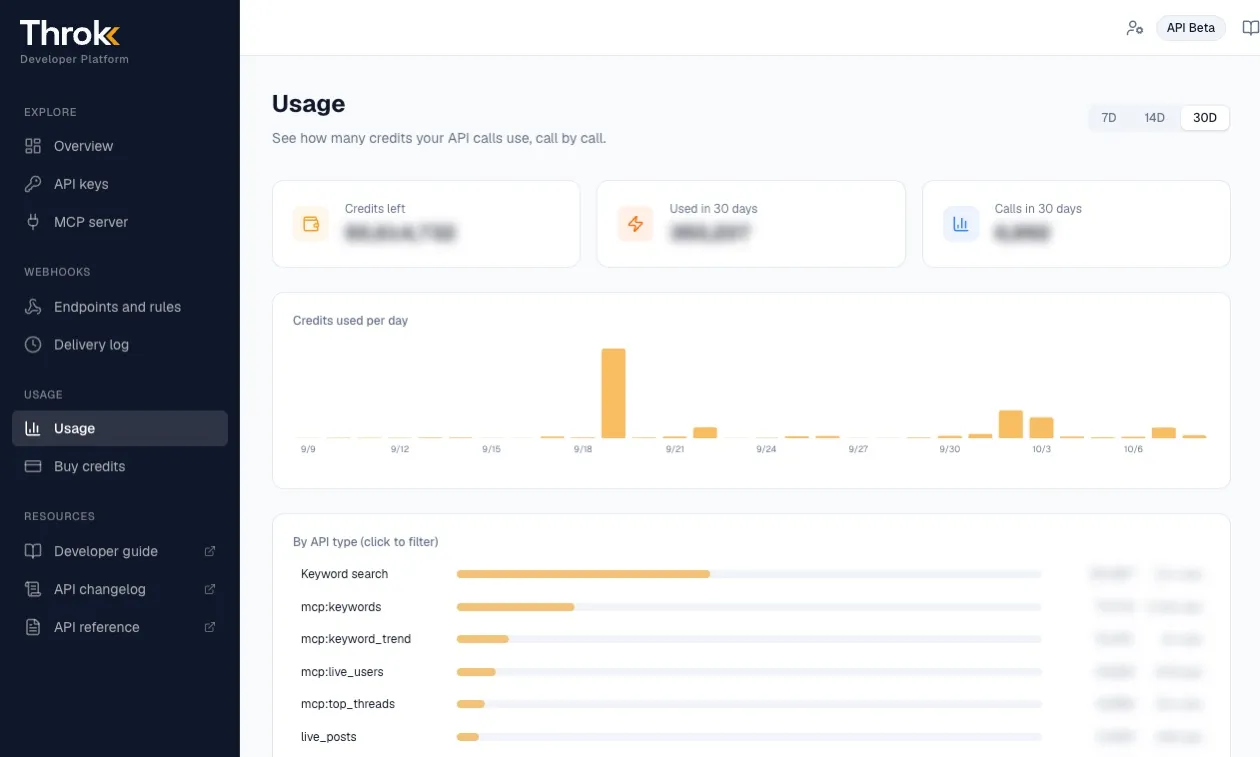
| Usage | Daily usage chart, breakdown by API type, and the time, cost, key and parameters of every call |
| Buy credits | Change API plan, buy top-up credits, and go to Stripe to manage payment methods and invoices |
| Endpoints and rules, Delivery log | Set up webhooks and see delivery results |
Check your balance and history with the API
Section titled “Check your balance and history with the API”You can also check them from code. Neither endpoint costs credits:
# Remaining creditscurl 'https://premium-api.throk.ai/balance' \  -H 'Authorization: Bearer sk-throk-...'
# Usage history (50 entries per page)curl 'https://premium-api.throk.ai/balance/history?page=1' \  -H 'Authorization: Bearer sk-throk-...'
In the usage history, calls made through MCP have an mcp: prefix, for example mcp:keywords.
For a full comparison of API plans, see API plans and pricing.