
Throk web app guide: getting started
The Throk web app lets you search Threads posts, browse leaderboards and analyze accounts without writing code. You can also ask Throk Agent, the built-in AI assistant, to pull the data together for you.
Sign in
Section titled “Sign in”Go to app.throk.ai and sign in with your Google account or an email sign-in link. The first time you sign in, a short onboarding helps you set your role and goals and connect your own Threads account (you can do this later).
Feature map
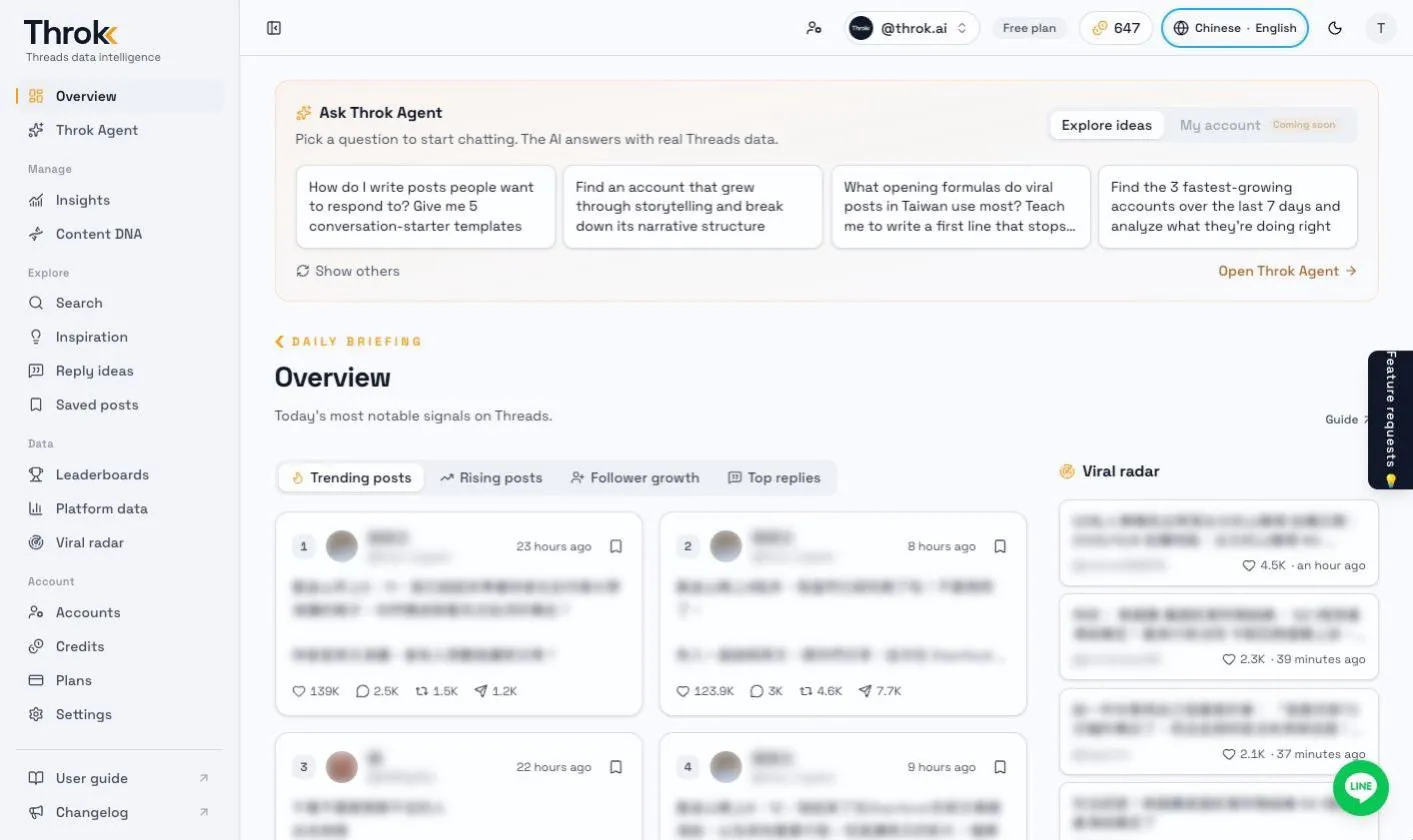
Section titled “Feature map”The top of the left menu has Overview and Throk Agent. Below them, the menu is split into four sections:
| Section | Feature | What it does |
|---|---|---|
| Overview | Trending posts, Viral radar, and the “Ask Throk Agent” prompt templates | |
| Throk Agent | Chat to look up data, analyze accounts and draft replies. It can remember your preferences and schedule automated tasks | |
| Manage | Insights | Follower trend and post performance for the Threads account you connected |
| Content DNA | Your creator profile, which Throk Agent takes into account | |
| Explore | Search | Search posts by keyword and filters, and export to Excel / CSV |
| Inspiration | Enter a topic and find high-engagement posts with a similar meaning | |
| Reply ideas | Find the most-liked replies under similar viral posts | |
| Saved posts | Save posts and organize them into lists | |
| Data | Leaderboards | Trending posts, Rising posts, Follower growth, Top replies |
| Platform data | Power hours, Follower ladder, Likes ladder | |
| Viral radar | The most-liked posts from the last 60 minutes | |
| Account | Accounts | Connect and switch between your Threads accounts |
| Credits, Plans | Credit balance and usage history, plans and billing | |
| Settings | Interface language, default post language, delete your account |
Click a post or account in any table to open a details panel on the right. You stay on the current page.
Post language
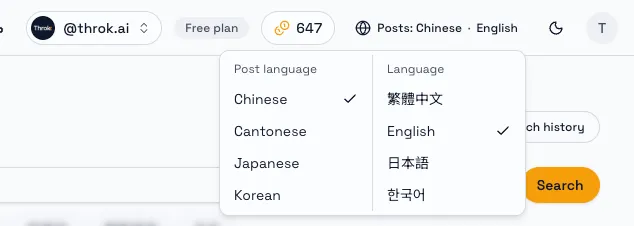
Section titled “Post language”The Post language menu in the header decides which language’s posts you see:
| Post language | What it covers |
|---|---|
| Traditional Chinese | Written Chinese posts in Traditional characters, not including Cantonese |
| Simplified Chinese | Chinese posts in Simplified characters |
| Cantonese | Posts written in colloquial Cantonese or mixed with Cantonese |
| English | English posts |
| Japanese | Japanese posts |
| Korean | Korean posts |
Posts are sorted by the language and script of the post itself, not by where the author is. Posts that Hong Kong users write in standard written Chinese show up under “Traditional Chinese”, not “Cantonese”. To see the full conversation in Hong Kong, check both Traditional Chinese and Cantonese.
- You see one post language at a time. Data from different languages is never mixed.
- Overview, Search, Leaderboards, Viral radar, Inspiration, hot searches, Power hours and the follower and likes ladders all follow the post language you pick.
- The post languages you can use depend on the country or region you’re in. If an option shows “Not available yet”, contact us to enable it.
Interface language
Section titled “Interface language”The web app is available in 繁體中文 (Traditional Chinese), English, 日本語 (Japanese) and 한국어 (Korean). Switch languages from the menu in the header, under Settings › Language, or on the sign-in page.
Credits
Section titled “Credits”Search and Throk Agent use credits. Leaderboards, Platform data, Inspiration and Reply ideas don’t. See Plans and credits.